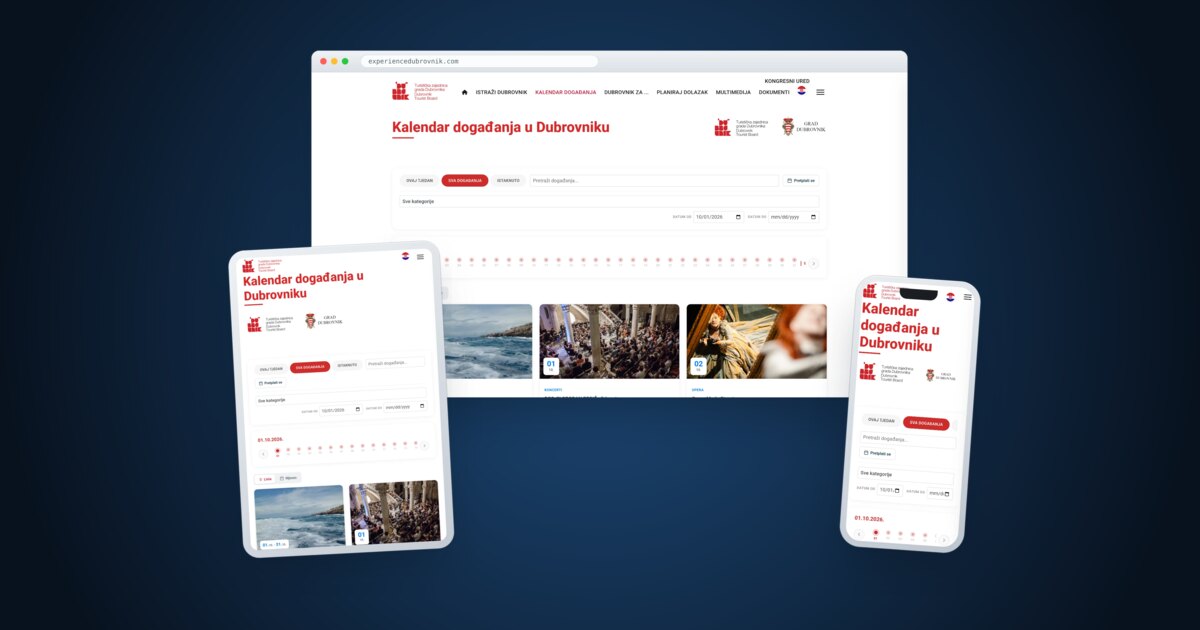
A city events calendar has to serve three groups at once: visitors looking for what is on tonight, organisers who want to publish their programme, and editors who are responsible for making sure that what goes live is accurate. For the Dubrovnik Tourist Board and the City of Dubrovnik we solved this by separating the two jobs. The public display stays on the Joomla 5 website experiencedubrovnik.com, while the data, approvals and organiser portal run in a separate system built with Laravel. Below we explain why we made that choice and what visitors, organisers and editors actually get from it.
In short (TL;DR)
Two systems, one address. Visitors only ever see the calendar on the Tourist Board's website, while events, organisers and approvals are managed by a separate Laravel system with its own database and API.
Organisers submit their own events, and nothing is published until it has been approved.
The calendar is built for search engines: schema.org/Event structured data, hreflang links between the Croatian and English versions, keyword-first page titles, an iCal subscription and share images sized for social media.
The calendar is publicly available in Croatian at experiencedubrovnik.com/kalendar-dogadanja and in English at experiencedubrovnik.com/en/event-calendar. Everything in this article that we describe as visible to visitors has been checked directly on those pages.
What problem does a city events calendar solve?
A city like Dubrovnik has a packed cultural programme: concerts, exhibitions, theatre, festivals, folklore, talks, sports and food events, spread from the historic centre to the islands and surrounding villages. That information comes from dozens of organisers, from major institutions to small associations. Without a shared place to find it, visitors piece it together from posters, social media and individual websites, and the tourist board ends up retyping other people's announcements by hand.
A good calendar therefore has to solve several things at once:
- Collection: organisers need to be able to enter an event themselves, with date, venue, time, image and ticket information, in both languages.
- Quality control: nothing should appear on the official website unchecked, but checking must not become a bottleneck.
- A clear overview for visitors: finding what is on today, this week or on a particular date, filtered by type of event.
- Visibility beyond the website: events that Google can understand, that look right when shared on WhatsApp or Facebook, and that can be added to a personal calendar.
Why a separate Laravel system alongside the Joomla website?
The Tourist Board's website is built on Joomla 5, where editors manage news, pages and menus. Events were originally a Joomla component too. As requirements grew (a portal for external organisers, roles with different permissions, an approval process, recurring events, iCal export), it became clear that building those features inside a content management system was slower and more fragile than doing it in a framework designed for business applications.
So we moved events into a separate system built with Laravel, with an admin panel built in Filament. That system owns the data: events, categories, organisers and images. The Joomla website remains the place where visitors see everything, and its modules simply display what has been approved in the events system. We cover when Laravel makes sense for this kind of work in our article Laravel for business applications.
One rule was fixed from day one: visitors never get sent to a “different website”. The calendar, the homepage event cards and every event page are shown inside the Tourist Board's own design, menus and footer, at its own addresses. The separate system is invisible to visitors.
| Question | Everything inside Joomla | Joomla + separate Laravel system |
|---|---|---|
| Public display | Joomla | ✓ Joomla, at the same addresses |
| Portal for external organisers | Limited by the component framework | ✓ Dedicated sign-in, registration and forms |
| Roles and approval | Joomla user groups | ✓ Purpose-built roles |
| Website upgrades | Can affect event logic | ✓ Independent of each other |
| Reusing the data | Harder | ✓ API and iCal export for other channels |
How do organisers submit events?
External organisers, such as cultural institutions, associations and galleries, use an organiser portal available in Croatian and English. The process is straightforward:
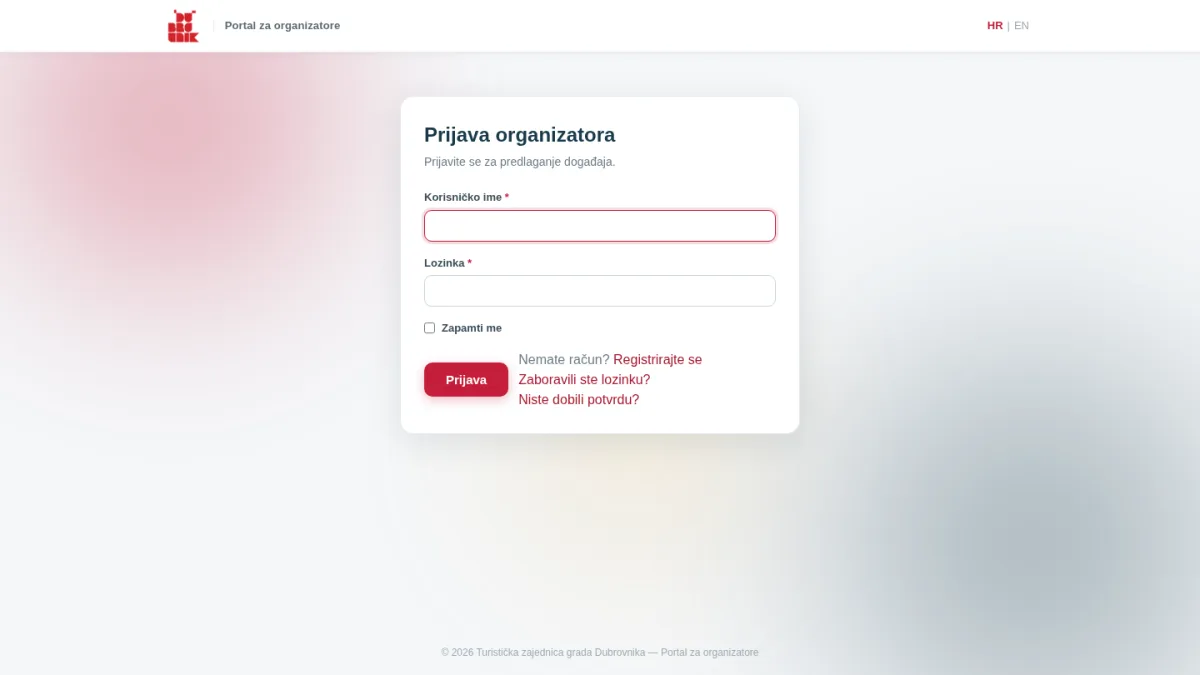
- The organiser registers and confirms their email address via a link sent to them. Password reset is also available.
- Once signed in, they fill in a form: the event name in Croatian and English, category, venue (also in both languages), dates, time, contact details, website link, ticket information and an image.
- If the event repeats, for example a play running over several evenings, the organiser picks all the dates on a calendar. The system creates a separate listing for each date automatically.
- Images are resized and optimised on upload, so organisers do not need to prepare anything in an image editor.
- The submitted event is marked “pending” and does not appear on the website until someone approves it. Editors are notified of new submissions by email.
On their dashboard, organisers see their own events and can edit them, copy them for next season or delete them. An edited event goes back for review, so a change made after approval cannot quietly alter what is on the website. For organisers the editors trust, “publish without approval” can be switched on, and their events go live straight away.
What do visitors see on the calendar?
The calendar page combines several ways of finding events, all without reloading the page:
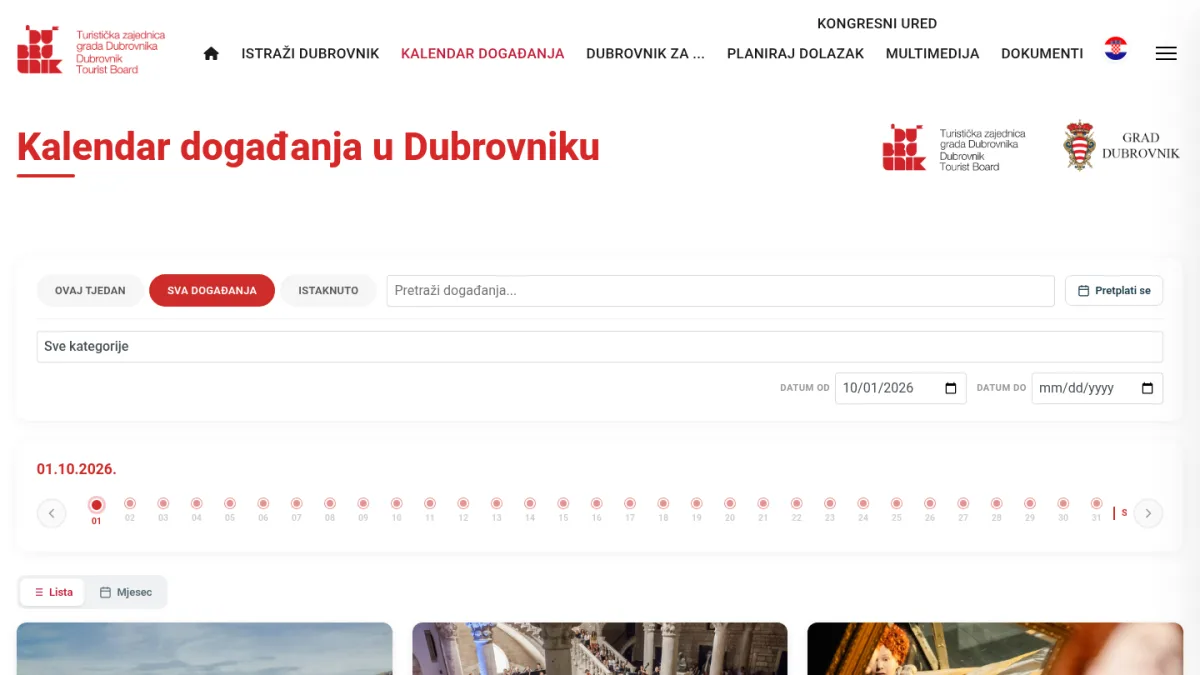
- Quick filters “This week”, “All events” and “Featured”.
- A category menu, from concerts, exhibitions and festivals to opera, ballet, talks and book presentations.
- A date range (“Date from” and “Date to”) and text search.
- A timeline: a horizontal strip of days showing whether anything is on. Clicking a day shows just that day, and the strip can be scrolled back through past events as well.
- A “List / Month” switch: alongside the list of cards there is a classic month view, with multi-day events marked on every day they run.
- Event cards with image, date, time, venue, category and ticket information, plus buttons for Google Calendar, an .ics file (Apple, Outlook) and sharing via Facebook, WhatsApp or a copied link.
- “Subscribe”: an iCal feed of upcoming events that you add to Google, Apple or Outlook once and that then keeps itself up to date. The format follows the iCalendar standard (RFC 5545).
One small but important detail is the ordering. Events that run for weeks or months, such as summer festivals and exhibitions, would otherwise sit permanently at the top of the list and hide what is happening tonight. So multi-day events go to the end of the list, except on their opening day, when they are news. A similar rule applies to the event slider on the homepage.
How is the event page designed?
The event page follows a “poster and ticket” concept. On the left is the poster or photo, and on the right a ticket-like block: a large day number or date range, time, venue with address, tickets and category. On mobile the ticket comes before the image, because visitors want to know when and where first.
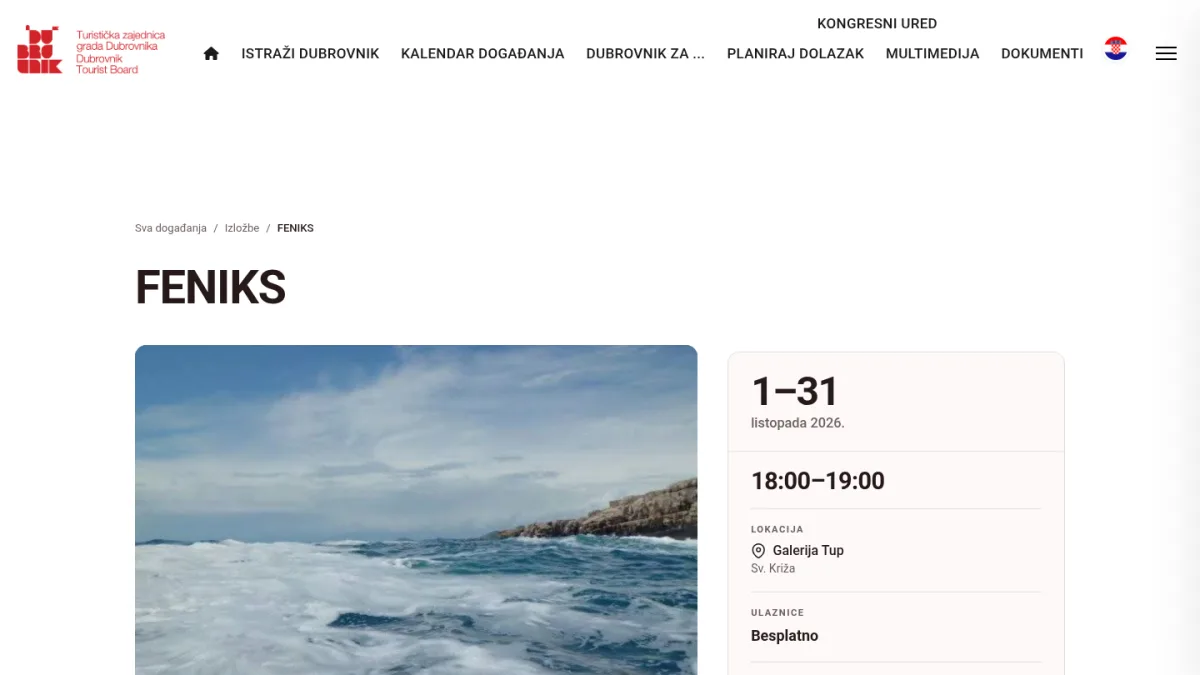
Several decisions came straight from the real data rather than from assumptions:
- Images come in every aspect ratio, from portrait posters to wide photos. So they are never cropped: the full image is shown on a blurred background made from the image itself.
- Many events have a short description or none at all, so the page has to look finished without a long text.
- Ticket information can be plain text or a link to a ticket shop. If it is a link, it is shown as a “Buy tickets” button.
- The design is deliberately restrained. Hierarchy comes from typography (size and weight) rather than strong colours that would clash with colourful posters.
At the bottom are buttons for adding the event to a calendar and sharing it, followed by a selection of other upcoming events. When an event is shared on WhatsApp or Facebook, the system generates an image in the recommended link-preview size (1200 × 630 pixels), so the preview shows the event poster rather than a logo.
How are bilingual content and SEO handled?
Every event has Croatian and English fields for its name, venue, description and ticket information. If an English translation is missing, the Croatian text is shown instead of an empty title. For new entries, the English name and venue are mandatory in both the portal and the admin panel.
The calendar is the most visited content on a site like this, so we paid particular attention to its technical SEO. On the live pages today you can check the following:
- schema.org/Event structured data in JSON-LD, both on the calendar page (for upcoming events) and on every event page: name, start and end, venue with address, image, event status and, where known, price. Only data that actually exists is output; nothing is filled in by guesswork. Google's guidance on event structured data explains how this can help events appear in dedicated event experiences in search results.
- hreflang links between the Croatian and English calendar, plus x-default, as Google recommends for localised versions of pages.
- Keyword-first titles (“Kalendar događanja u Dubrovniku”, “Events in Dubrovnik”) and a proper
<h1>heading on the page. - Canonical URLs and Open Graph tags with the event's real image.
- Clean event URLs in the form
/dogadanja/number-name, with the English version under/en/.
Care with changing URLs matters in this kind of work too. We describe how to protect SEO when moving to a new Joomla site in Joomla migration without losing SEO.
How is performance handled?
The Laravel system has a JSON API, but the Joomla modules on the same server do not fetch events from it over HTTP. They read them directly from the events database, using the same rules as the API: only published and approved events are shown. The reason is practical. A server that sends HTTP requests to itself adds an extra point of failure and extra waiting, and under heavy traffic those requests can tie up every PHP process and slow down the whole site. Reading straight from the database removes that dependency. The API is still used where the browser needs it: for the iCal feed, .ics files and share images.
Pages are also cached by the web server (nginx FastCGI cache). The classic drawback is that an editor saves a change and the website still shows the old version. So whenever an event, category or other data affecting the display is saved or deleted, the events system clears that cache itself. Changes show up immediately, and the site stays fast for everyone else.
The whole platform, both the Joomla website and the Laravel system, runs on a dedicated virtual server, to which we moved it from the development environment. The move also dealt with the usual pitfalls: image paths left over from the development copy, file names containing Croatian diacritics, and old addresses from the previous system that automated crawlers keep requesting. Those addresses now return “410 Gone”, so they no longer load the server.
What happened to events from the previous system?
The Tourist Board's previous website ran on a custom .NET system with a Microsoft SQL Server database. Events from that system were moved first into Joomla and then into the new events system, together with their Croatian and English versions and main images. So visitors can still browse past events.
The old data came with some legacy issues that had to be cleaned up without editing every entry by hand:
- Venue and time had been typed as free text in the short description (e.g. “Atrium of the Sponza Palace 21.30”), while the proper fields were empty. A script split them into separate fields, so the time and venue line now appears on the page. Manually entered data was left untouched.
- Many descriptions started with a repeated title or hand-typed dividers made of dashes. The event page recognises these leftovers and does not display them, while the text in the database stays unchanged.
- Calendar export (.ics) now takes the time from the time field rather than from technical timestamps left by the import, so Outlook and Apple Calendar get the correct time.
Need a system that connects your website with a business application?
DromedarIT builds and maintains websites, portals and web applications, from event calendars and bookings to internal approval tools. Take a look at our work or services, and get in touch when you are ready.
Let's talk about your project →Frequently asked questions
Why didn't events stay as a Joomla component?
A portal for external organisers, roles with different permissions and event approval are easier to build and maintain in Laravel than inside a content management system. Joomla still handles the public display, so visitors notice no difference.
Can anyone publish an event on the calendar?
Organisers can register and submit an event, but it only appears on the website after approval. Only organisers the editors explicitly trust can have publishing without approval switched on.
How does Google know it is looking at an event?
The calendar page and individual event pages contain schema.org/Event structured data in JSON-LD, with name, date, venue and image. According to Google's documentation this data makes events eligible for dedicated event experiences in search results, although Google decides whether to show them.
Can I follow events in the calendar on my phone?
Yes. Every event has buttons for Google Calendar and an .ics file for Apple and Outlook, and the “Subscribe” button adds a feed of all upcoming events that keeps itself up to date.
Can this approach be used outside tourism?
Yes. The same pattern, a public website displaying data managed by a separate application with roles and approvals, works equally well for product catalogues, tenders, bookings or job listings.
Sources
- Dubrovnik Tourist Board — “Kalendar događanja u Dubrovniku”, 2026. Retrieved 01.10.2026. experiencedubrovnik.com
- Dubrovnik Tourist Board — “Events in Dubrovnik”, 2026. Retrieved 01.10.2026. experiencedubrovnik.com
- Schema.org — “Event”. Retrieved 01.10.2026. schema.org
- Google Search Central — “Learn About Google Event Schema Markup”. Retrieved 01.10.2026. developers.google.com
- Google Search Central — “Localized Versions of your Pages”. Retrieved 01.10.2026. developers.google.com
- IETF — “RFC 5545: Internet Calendaring and Scheduling Core Object Specification (iCalendar)”, 2009. Retrieved 01.10.2026. datatracker.ietf.org
- Laravel — “Documentation”. Retrieved 01.10.2026. laravel.com
- Filament — “Documentation”. Retrieved 01.10.2026. filamentphp.com
- Joomla! — official project website. Retrieved 01.10.2026. joomla.org
- nginx — “Module ngx_http_fastcgi_module”. Retrieved 01.10.2026. nginx.org