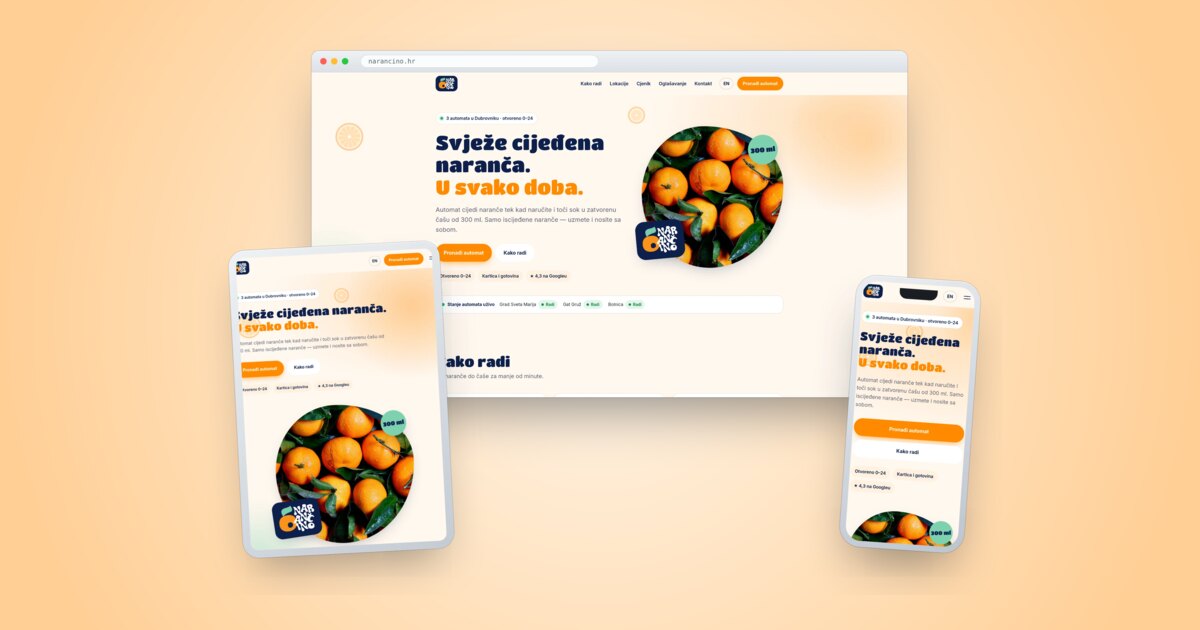
Narančino in Dubrovnik sells freshly squeezed orange juice from self-service vending machines. In 2026 we built a system for it that connects the machines, fiscalisation and the website. Every sale reaches the system within half a minute and gets a fiscalised receipt. The owner hears about a fault on their phone, and website visitors can see whether the machine they are heading to is working.
In short (TL;DR)
One system instead of three separate ones. A Laravel application pulls sales from the machines' telemetry platform every 30 seconds, fiscalises each sale with the Croatian Tax Administration and feeds live data to the public website.
Fiscalisation ready for 2027. Receipts are signed with RSA-SHA256, failed submissions are retried automatically, the system watches the legal deadlines and corrections are made only by credit (storno) receipts.
Alarms and administration. More than twenty alarm types (Telegram and e-mail), a clear dashboard, a monthly accountant report that sends itself, and a move to new hosting with no downtime.
Narančino runs machines that squeeze oranges into a cup in front of the customer. For the customer it is simple: pay by cash or card and take the juice. Behind the scenes, several things happen at once. The machine records the sale, the sale has to be fiscalised, stocks of oranges and cups go down, the cooling has to hold its temperature, and cash builds up inside the machine. Our job was to bring all of this together in one system run from a web browser.
What did the system need to do?
The requirements were clear from the start:
- Sales from the machines had to land in the client's own database with no manual copying.
- Every sale had to be fiscalised at the moment of sale, as the Croatian Fiscalisation Act requires for self-service devices (Art. 18).
- Faults and shortages had to be reported automatically, before a customer noticed them.
- The public website had to show the machines' real status and prices, including a machine-readable price list.
- The accountant had to receive a tidy monthly report without asking for it or exporting anything.
We covered the legal side of fiscalisation, including the changes that apply from 1 January 2027, in Croatian fiscalisation in 2027: what changes. This article is about how we turned those requirements into software.
Architecture: an isolated server account and a task scheduler
The application is built with Laravel, a PHP framework with a built-in task scheduler. The scheduler runs sales imports, fiscalisation, status checks and reports at set intervals. For a system that has to run day and night without supervision, that matters more than how the interface looks.
The system runs on its own isolated account on the server:
- a separate Linux user, a separate PHP-FPM pool and a separate database user, so the application shares no permissions with other sites on the same server;
- traffic only over TLS 1.2 or newer;
- daily backups of the database and settings, with a copy kept off-site.
We explain why this separation matters in Website security for companies. In short, if one application on a server fails, it must not take the others down with it.
| Component | What it does | How often |
|---|---|---|
| Sales import | fetches new sales from the Vendon platform | every 30 seconds |
| Machine status | connection, stock, temperature, door, payment devices, cash | every minute |
| Fiscalisation | receipt with ZKI and JIR for every sale, retries | straight after import |
| Alarms | Telegram and e-mail, evening summary | as soon as a condition is met |
| CSV/XML price list | new snapshot in the daily archive | once a day |
| Accountant report | PDF and Excel for the previous month | on the 1st of each month |
| Backup | database and settings, copy off the server | every day |
How do the machines connect to the system?
The machines are connected to the Vendon telemetry platform, which collects data from the devices and makes it available through an API. Our application does not talk to the machines directly. It talks to that API, on two schedules:
- Every 30 seconds it fetches new sales: time, machine, amount and payment method. The import remembers where it stopped, so the same sale is never imported twice.
- Every minute it fetches the status of each machine: whether it is online, how much stock is left, the cooling temperature, the state of the door, whether the card reader and coin unit are working, and how much cash is inside.
Everything else is built from this data: receipts, alarms, charts and the "working / not working" label on the public website.
Fiscalising every sale
For each imported sale, the system creates a receipt, calculates the issuer's security code (ZKI), signs the message with the taxpayer's certificate and sends it to the Tax Administration's fiscalisation system, which returns a Unique Invoice Identifier (JIR). Several safeguards are built in:
- RSA-SHA256 signatures. From 1 January 2027 the Tax Administration's production environment rejects messages signed with RSA-SHA1 (Technical Specification v2.7). The system was built for SHA256 from the start, so the change does not affect it.
- Automatic retries at growing intervals. If the connection to the Tax Administration fails, the receipt stays in a queue and is resent, less often as attempts continue. Receipts delivered late carry the late-delivery flag, as the specification requires.
- A 30-day guard. The Tax Administration does not accept a receipt more than 30 days old (error 176 in the specification). The system does not send such a receipt blindly. It flags the receipt and raises an alarm so that someone decides what to do with it. The legal deadline for late delivery after an outage is two working days anyway (Fiscalisation Act, Art. 21), so the alarm arrives long before that.
- Credit receipts linked to the original. An issued receipt is never edited. A correction is a new credit (storno) receipt, which is also fiscalised and linked in the system to the receipt it cancels (Fiscalisation Act, Arts 14 and 24).
Alarms: the system knows before the customer does
The system has more than twenty alarm types, grouped into areas such as stock, faults, cooling, payments, connectivity and sales. Some examples:
- a machine has gone offline or lost power;
- it has run out of oranges or cups;
- the temperature is too high or too low;
- the card reader is not working, there is a coin problem or no change is left;
- a machine has sold nothing for a long stretch during the day;
- fiscalisation keeps failing after the set number of attempts;
- a legal deadline or certificate expiry is approaching.
In the admin area, each alarm can be switched on or off, sent to Telegram, e-mail or both, and given thresholds such as temperature and duration. Alarms go out through the official Telegram Bot API and by e-mail, and a short summary of the day arrives every evening. An alarm based on duration fires only when the condition lasts for the set time, so a brief blip wakes nobody.
Administration: overview, control and reports
The browser dashboard shows what the owner wants to see first thing in the morning:
- sales today and this month, compared with the same period earlier;
- a 30-day sales chart and sales by hour;
- cash in each machine and cash sales since it was last emptied;
- a detail page for each machine with its status, events and temperatures.
Machines can also be controlled remotely from the admin area: you can add credit (for example for a customer whose juice was not dispensed) or restart a machine. These actions have a safe test mode, so they can be tried out without actually affecting the machine.
Dedicated pages show backups (with an option to make one by hand) and every scheduled task: when it last ran, how long it took and whether any task is running late. On the 1st of each month the system automatically produces an accountant report in PDF and Excel, broken down by machine and by day, with a list of receipts and credit receipts, and sends it by e-mail.
Public website: live status and a compliant price list
The narancino.hr website is bilingual (Croatian and English) and reads its data from the system:
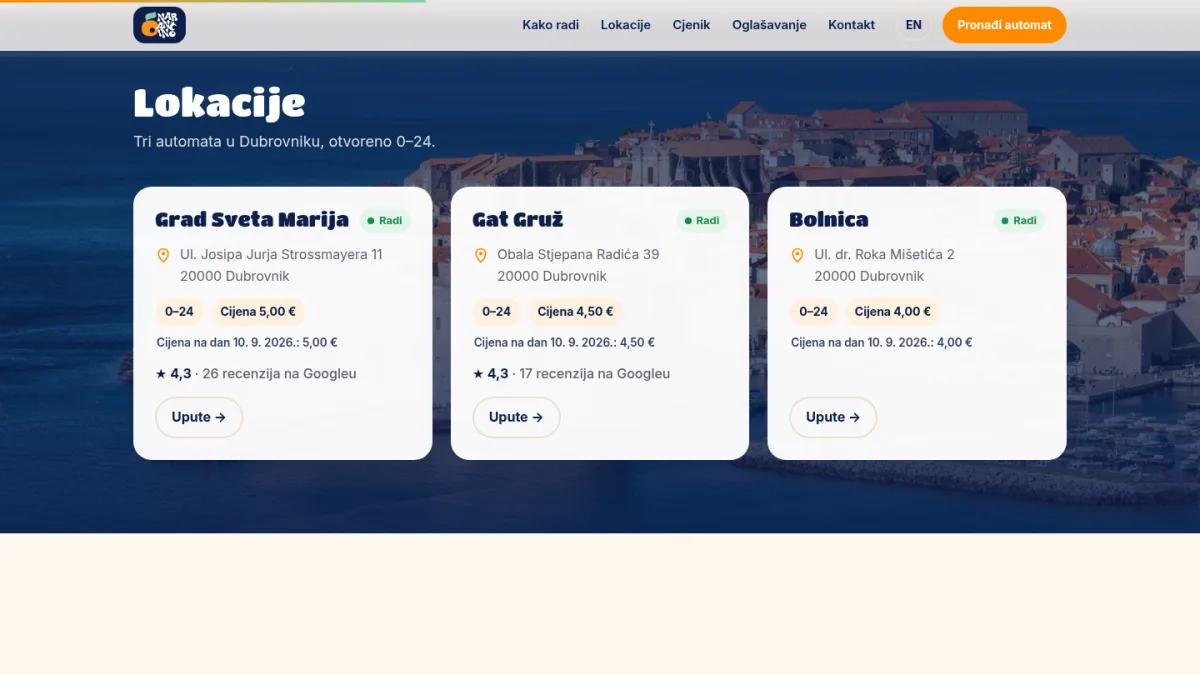
- Live status of each machine: working or not. Visitors do not have to walk to a machine that has run out of oranges.
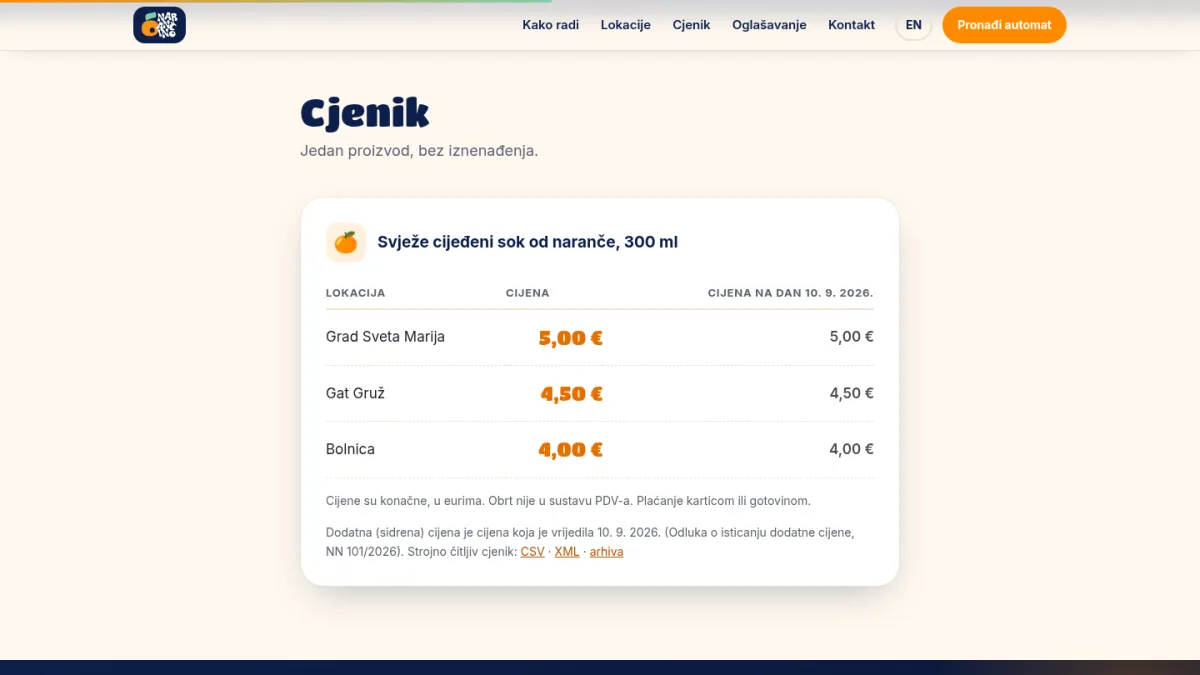
- A price list showing the price at each machine.
- A machine-readable price list in CSV and XML, with a daily archive, and the additional ("anchor") price shown next to the current price. This is required by two Croatian Government decisions published in Official Gazette NN 101/2026: the Decision on displaying an additional price, which requires the price that applied on 10 September 2026 to be shown next to the retail price, and the Decision on publishing price lists for products and services.
- A contact form whose messages land in the admin area and immediately trigger an e-mail and Telegram notification.
A switchover with no downtime and no double fiscalisation
Alongside the new system, we moved the domain's DNS, the website and the mailboxes to new hosting. The steps were ordered so that the website and e-mail kept working throughout. We explain how domains and e-mail are moved in What is hosting, a domain and how e-mail works.
The most delicate part was taking over fiscalisation from the previous system. We set a fixed boundary: sales up to a given moment are fiscalised by the previous system and everything after it by the new one. The new system issues no receipt for any sale before the boundary, and receipt numbers continue the existing sequence. The law allows an unbroken sequence to start from any number, provided the rules are set out in the internal act (Fiscalisation Act, Art. 9). The change of software producer and maintainer must also be reported in ePorezna for each machine before the first day it applies (Fiscalisation Act, Art. 16(10) and Art. 17). This way, no sale is fiscalised twice and none is missed.
Do you have devices, tills or sales channels that need connecting?
We build web applications that bring devices, fiscalisation and a website together, and we maintain them after launch. See our work and services, or tell us what you want to connect.
Get in touch →Frequently asked questions
How quickly does a sale reach the system?
The system fetches new sales from the Vendon telemetry platform every 30 seconds and sends them for fiscalisation straight away. Machine status (connection, stock, temperature, payment devices, cash) refreshes every minute.
What happens if the Tax Administration is unavailable?
The receipt stays in a queue and is resent, with growing intervals between attempts and the late-delivery flag set. If it still fails after the set number of attempts, or the receipt gets close to the 30-day limit the Tax Administration accepts, an alarm is raised.
Is the system ready for the 2027 fiscalisation changes?
Yes. Messages are signed with RSA-SHA256 and connections use TLS 1.2 or newer. From 1 January 2027 the Tax Administration's production environment rejects RSA-SHA1 and TLS 1.1 (Technical Specification v2.7). Our article on fiscalisation in 2027 has more detail.
How is an incorrect receipt corrected?
An issued receipt is never edited. A credit (storno) receipt is issued, fiscalised like any other and linked in the system to the original. This is what the Fiscalisation Act requires (Arts 14 and 24).
What is the additional (anchor) price on the website?
Under the Decision on displaying an additional price (NN 101/2026), traders show the price that applied on 10 September 2026 next to the current price, including on websites. Narančino shows it next to each machine's price and in the machine-readable price list.
Sources
- Croatian Parliament — "Zakon o fiskalizaciji" (Fiscalisation Act), NN 89/2025. Retrieved 01.10.2026. narodne-novine.nn.hr
- Tax Administration — "Fiskalizacija računa u krajnjoj potrošnji – Tehnička specifikacija za korisnike, v2.7" (Technical Specification), 2026. Retrieved 01.10.2026. porezna-uprava.gov.hr
- Government of the Republic of Croatia — "Odluka o isticanju dodatne cijene kao mjera izravne kontrole cijena" (Decision on displaying an additional price), NN 101/2026. Retrieved 01.10.2026. narodne-novine.nn.hr
- Government of the Republic of Croatia — "Odluka o objavi cjenika proizvoda i usluga kao mjera izravne kontrole cijena" (Decision on publishing price lists), NN 101/2026. Retrieved 01.10.2026. narodne-novine.nn.hr
- Laravel — "Task Scheduling", documentation. Retrieved 01.10.2026. laravel.com
- Telegram — "Telegram Bot API". Retrieved 01.10.2026. core.telegram.org
- Vendon — vending telemetry platform. Retrieved 01.10.2026. vendon.net